Claude Code vs Cursor vs GitHub Copilot: Which AI Coding Tool Should You Actually Use in 2026?
Authored by PinkLloyd 6 min read
- AI
- Claude Code
- Cursor
- GitHub Copilot
- Developer Tools
- 2026
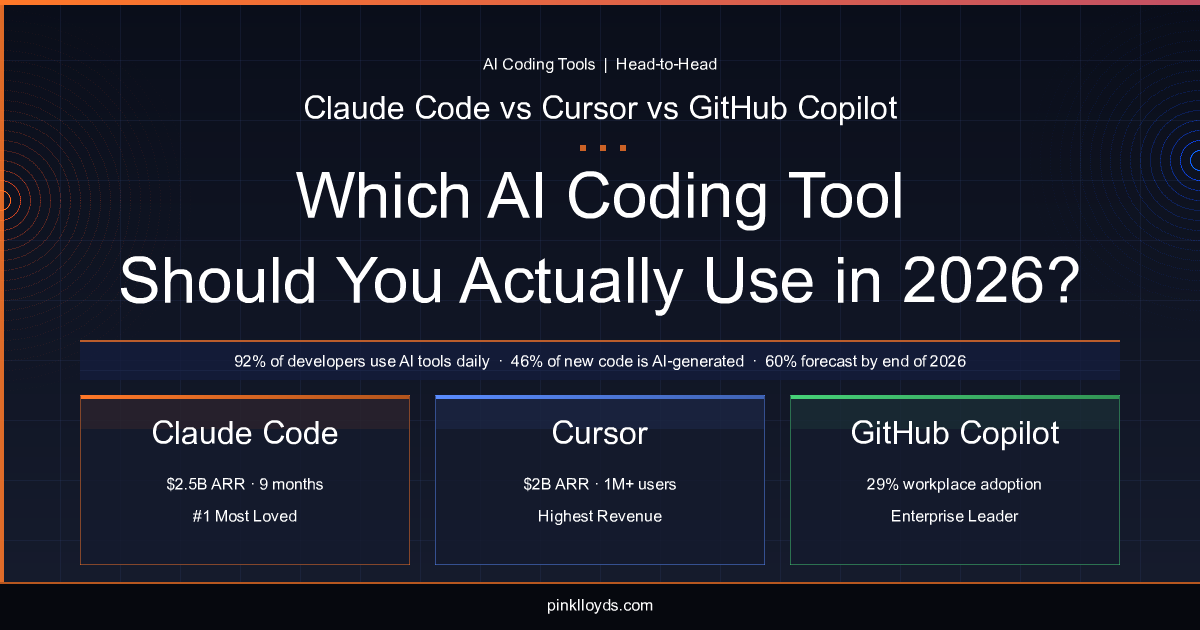
One exploded from zero to $2.5B in nine months. One has the most revenue. One has the most users. Here's what the data actually says.
The numbers are staggering: 92% of US developers now use AI coding tools daily, and nearly half of all new code pushed to GitHub is AI-generated. By the end of 2026, Gartner forecasts that figure will hit 60%.
But here's the paradox nobody talks about — only 33% of developers actually trust the accuracy of the code these tools produce. We're all using them. We're not all confident in them.
So which tool deserves your trust, your muscle memory, and your subscription dollars? The three dominant players — GitHub Copilot, Cursor, and Claude Code — each tell a radically different story about where AI-assisted development is headed. Let's cut through the marketing and look at what the data actually says.
The Quick Comparison
| Feature | GitHub Copilot | Cursor | Claude Code |
|---|---|---|---|
| Primary Strength | Enterprise integration | IDE experience | Complex/agentic tasks |
| Revenue | Not disclosed (est. $500M+) | ~$2B ARR | ~$2.5B ARR run-rate |
| User Base | Largest (enterprise) | 1M+ paying users | Fastest-growing |
| Best For | Teams already on GitHub/VS Code | Developers who live in the editor | Senior devs tackling complex problems |
| Developer Satisfaction | Moderate | High | 46% "most loved" |
GitHub Copilot: The Incumbent Giant
Copilot still holds the crown for raw adoption. With 29% workplace adoption overall and a commanding 56% share in companies with 10,000+ employees, it's the default choice for enterprise teams — the tool your IT department pre-approves and your onboarding docs mention by name.
That dominance makes sense. Copilot lives inside VS Code and the broader GitHub ecosystem, which means zero friction for teams already embedded in Microsoft's developer stack. The autocomplete is fast, the tab-completion loop is familiar, and the integration with GitHub pull requests and Actions keeps everything in one place.
But there's a problem: growth has stalled. While Cursor and Claude Code are posting explosive adoption numbers, Copilot's momentum has plateaued. The autocomplete-first model that made it revolutionary in 2022 now feels incremental compared to what competitors are shipping.
Who it's for: Enterprise teams that need IT-approved tooling, GitHub-native workflows, and broad language support without rocking the boat. If your company already pays for GitHub Enterprise, Copilot is probably already on your machine — and for basic autocomplete and code suggestion, it still does the job.
Cursor: The Editor That Thinks
Cursor took a different bet entirely: instead of building a plugin, they built a whole IDE. Forked from VS Code, Cursor feels immediately familiar but adds an AI layer so deeply integrated it changes how you interact with your editor.
The results speak for themselves — over one million paying users and roughly $2B in annual recurring revenue make Cursor the revenue leader in the category. Developers love the inline editing experience, the ability to reference entire codebases in prompts, and the seamless multi-file editing that makes refactoring feel less like surgery and more like conversation.
Where Cursor shines brightest is the editing workflow. Need to refactor a component, update an API contract across multiple files, or generate boilerplate from a description? Cursor's tab-flow and inline diff preview make these tasks feel effortless. It understands your project context in a way that basic autocomplete tools simply can't match.
Who it's for: Developers who spend most of their day in the editor writing and refactoring code. If your workflow is primarily "I know roughly what I want, help me write it faster and across more files," Cursor is the best tool for the job right now.
Claude Code: The Agentic Powerhouse
And then there's the newcomer that rewrote the rules. Claude Code went from zero to a $2.5B ARR run-rate in just nine months — a growth trajectory that suggests it's not just capturing market share, but creating new demand for a category that didn't quite exist before.
Claude Code earned the highest "most loved" rating among developers at 46%, and the reason is straightforward: it excels at the hard stuff. Where Copilot and Cursor focus on helping you write code faster, Claude Code focuses on helping you think through problems — complex debugging, multi-step architecture decisions, agentic workflows that span entire codebases, and tasks that require genuine reasoning rather than pattern-matching.
The numbers back this up. Claude Code set a record with 326,000 GitHub commits in a single day, suggesting developers aren't just using it for suggestions — they're trusting it with substantial, commit-worthy work. Its terminal-native, agentic approach means it can execute multi-step tasks autonomously: reading files, running tests, fixing errors, and iterating until the job is done.
Who it's for: Senior developers and teams tackling complex, multi-step problems — debugging gnarly issues, building new features that touch many parts of a codebase, or architecting systems where you need a thinking partner, not just a fast typist.
The Real Story: Developers Are Using Multiple Tools
Here's what the comparison-article format doesn't want you to know: the "versus" framing is increasingly misleading. Data shows that 70% of engineers now use two to four AI tools simultaneously, and the dominant emerging stack tells you everything about where each tool fits:
Cursor for editing. Claude Code for complex and agentic tasks.
This isn't a contradiction — it's specialization. The tools have different strengths because they solve different problems. Cursor makes your moment-to-moment editing flow faster and more fluid. Claude Code takes on the bigger, messier challenges that require planning, multi-file reasoning, and iterative execution.
Copilot, meanwhile, serves as the reliable baseline — always on, always suggesting, integrated into the ecosystem most developers already use.
The Elephant in the Room: Security
No honest comparison can skip this: between 45% and 62% of AI-generated code contains security vulnerabilities. That's not a knock on any specific tool — it's an industry-wide reality that should inform how you use all of them.
The takeaway isn't "don't use AI tools." The takeaway is that code review, security scanning, and human oversight aren't optional extras — they're essential parts of the AI-assisted workflow. Whichever tool you choose, treat its output as a first draft from a talented but occasionally careless junior developer.
The Verdict
There's no single winner because there's no single problem being solved:
- Choose Copilot if you need enterprise-grade compliance, you're embedded in the GitHub ecosystem, and "good enough" autocomplete meets your daily needs.
- Choose Cursor if you want the best-in-class editing experience and spend most of your time writing and refactoring code inside an IDE.
- Choose Claude Code if you tackle complex, multi-step engineering problems and want an AI that reasons through challenges rather than just predicting the next line.
- Choose two or three of them if you're like 70% of developers and you've realized these tools complement each other more than they compete.
The AI coding tool war isn't about picking a winner. It's about assembling the right toolkit for how you actually work. The data says most developers have already figured that out.
Published on pinklloyds.com — May 2026